Intel
Ask about one store. Understand the whole portfolio.
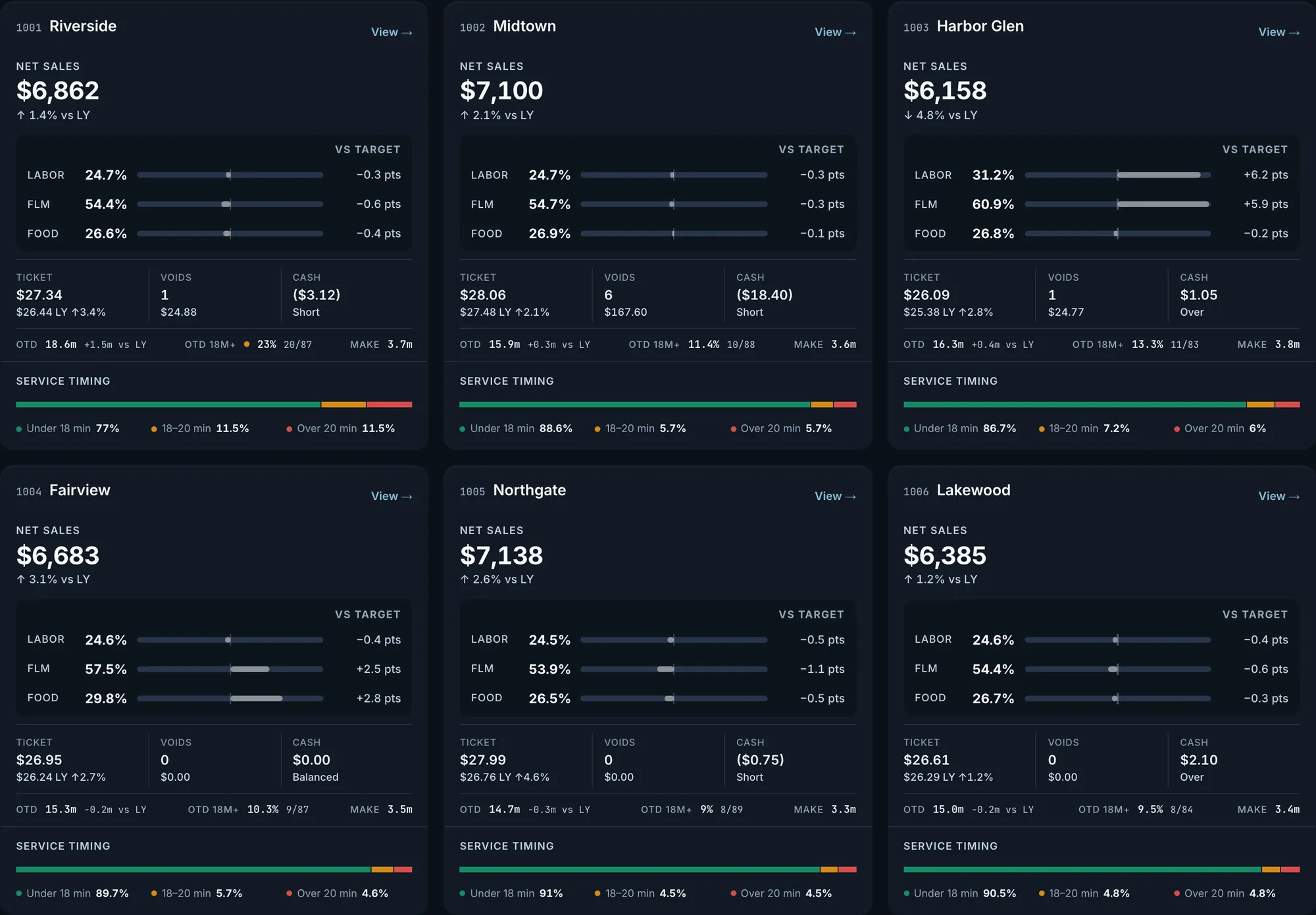
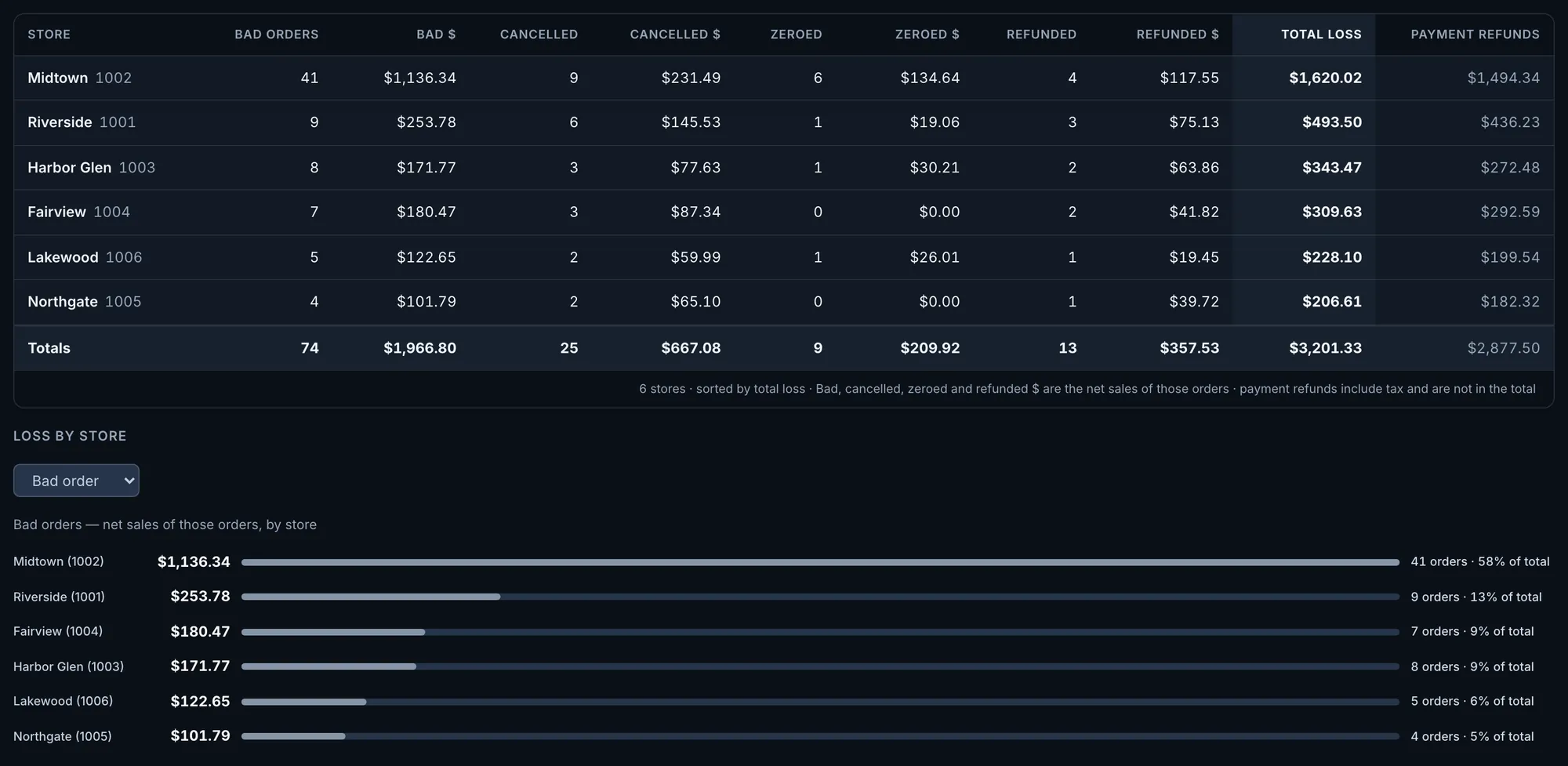
Ask one question in plain language instead of opening every store. Intel answers from your store data: sales, labor, food cost, discounts, order loss, out-the-door times and guest scores, and every answer says which dates it used. Our system also alerts you without being asked when something goes wrong.
Questions to ask, and what each answer draws on.
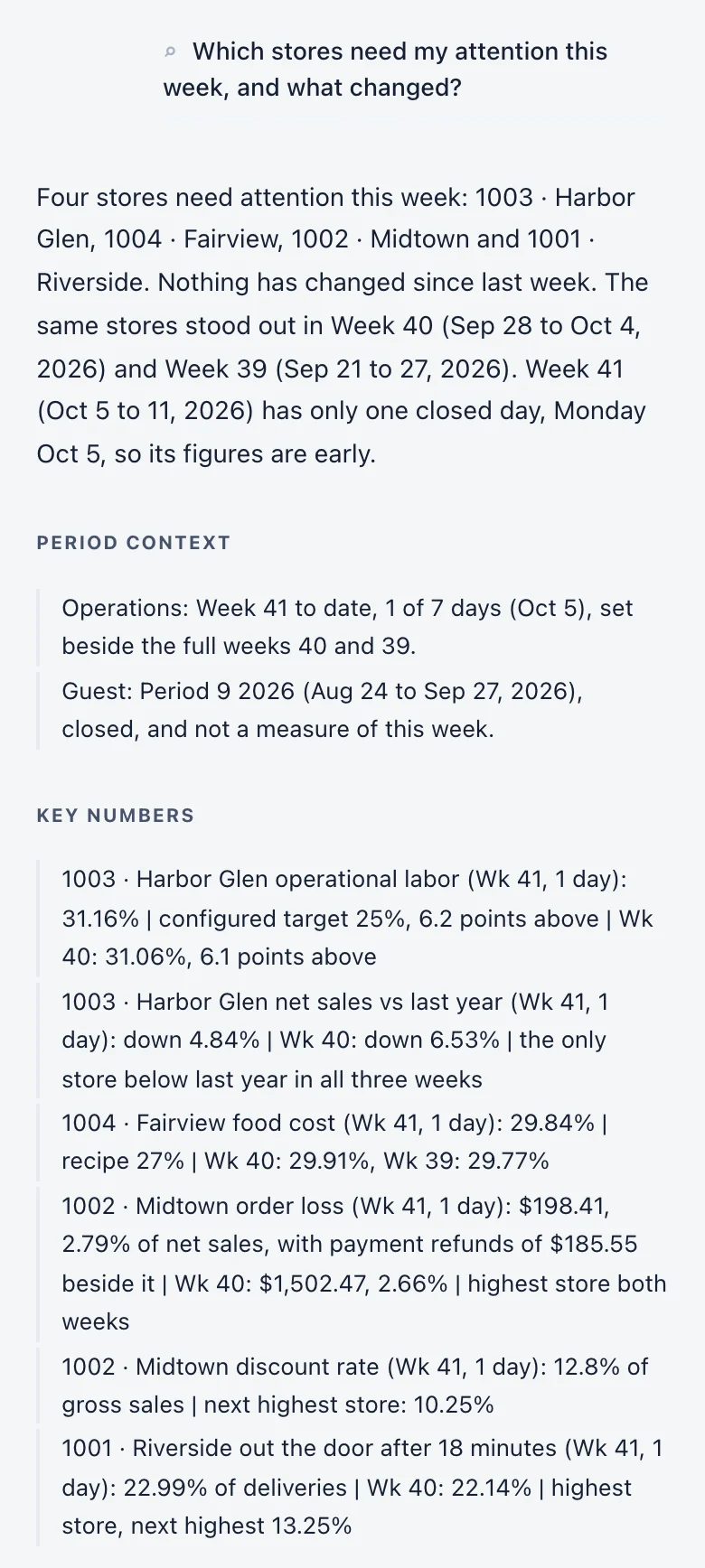
The first two are the conversation recorded on the homepage, on synthetic data. The rest are the kinds of question Intel answers today, for one store or for all of them.
| Ask | What the answer draws on | For |
|---|---|---|
| Which stores need my attention this week, and what changed? | Every store’s labor against its configured target, food cost against recipe, order loss, discount rate, out-the-door times and sales against last year, with the stores that stand out named first. | The week in progress, beside the last two full weeks |
| What changed at Harbor Glen last week? | One store’s week beside the week before: net sales, orders, average ticket, labor against target, food cost against recipe, and order loss with payment refunds stated beside it. | The last full week against the week before |
| How did sales, orders and average ticket compare with last year, by store? | Net sales, orders and average ticket for each store, with last year and the window before set beside them. | A day, a week or a period |
| Where did Riverside’s sales come from last week, by channel? | Sales by order channel for the store. | A day, a week or a period |
| Which stores ran over their labor target, and how much overtime did we run? | Labor percent, hours and overtime, each store against its own configured target. | A day, a week or a period |
| How did actual food cost compare with recipe at Fairview? | Actual food cost against what the recipes say should have been used. | A day, a week or a period |
| What were discounts by store last week? | Discount dollars and discount rate for each store. | A day, a week or a period |
| Which store lost the most to voided, cancelled and zeroed orders? | Order loss in dollars for voided, cancelled and zeroed orders. Payment refunds are stated beside it and are never added to it. | A day, a week or a period |
| How long did deliveries take to get out the door, by store? | Out-the-door times for each store. | A day, a week or a period |
| What were guest scores by store? | Guest scores for each store with the number of surveys behind them. Intel says when a sample is small. | A closed period |
How it works
One conversation, from the question to where the answer stops.
Ask across every store.
Type the question the way you would say it: “Which stores need my attention this week, and what changed?” The answer opens with the stores that stand out, then says which dates it used. Here the week in progress had one closed day, and the answer says so.
Fig. 1Actual OpsIntel screen · synthetic demo data Read the figures, and where they stop.
The rest of the same answer sets each store beside the others and beside last week. It says a guest score rests on a small sample, and that profit cannot be given until certified accounting results are published for the period.
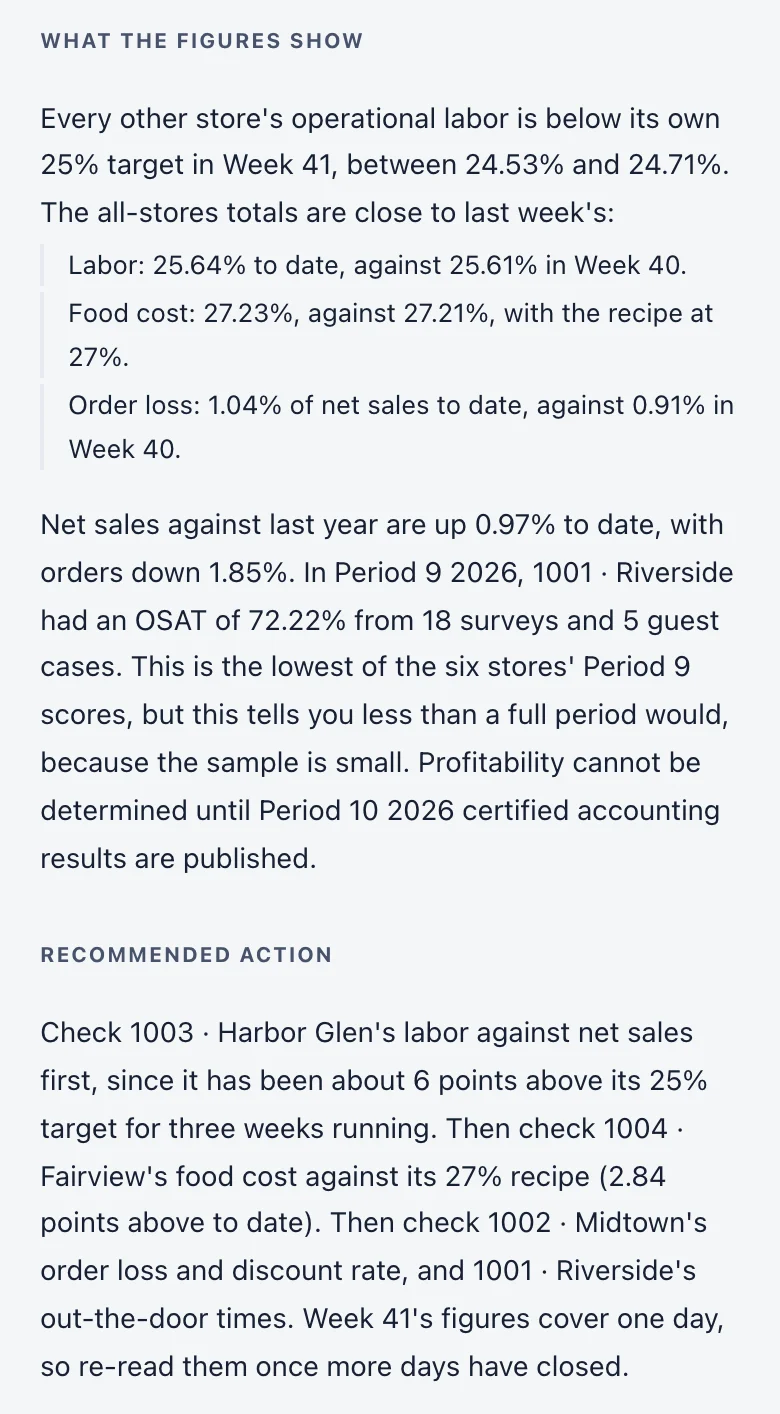
Fig. 2Actual OpsIntel screen · synthetic demo data Follow up on one store.
Name the store and the time you mean: “What changed at Harbor Glen last week?” Intel does not carry its earlier answers forward, so the follow-up has to say both.
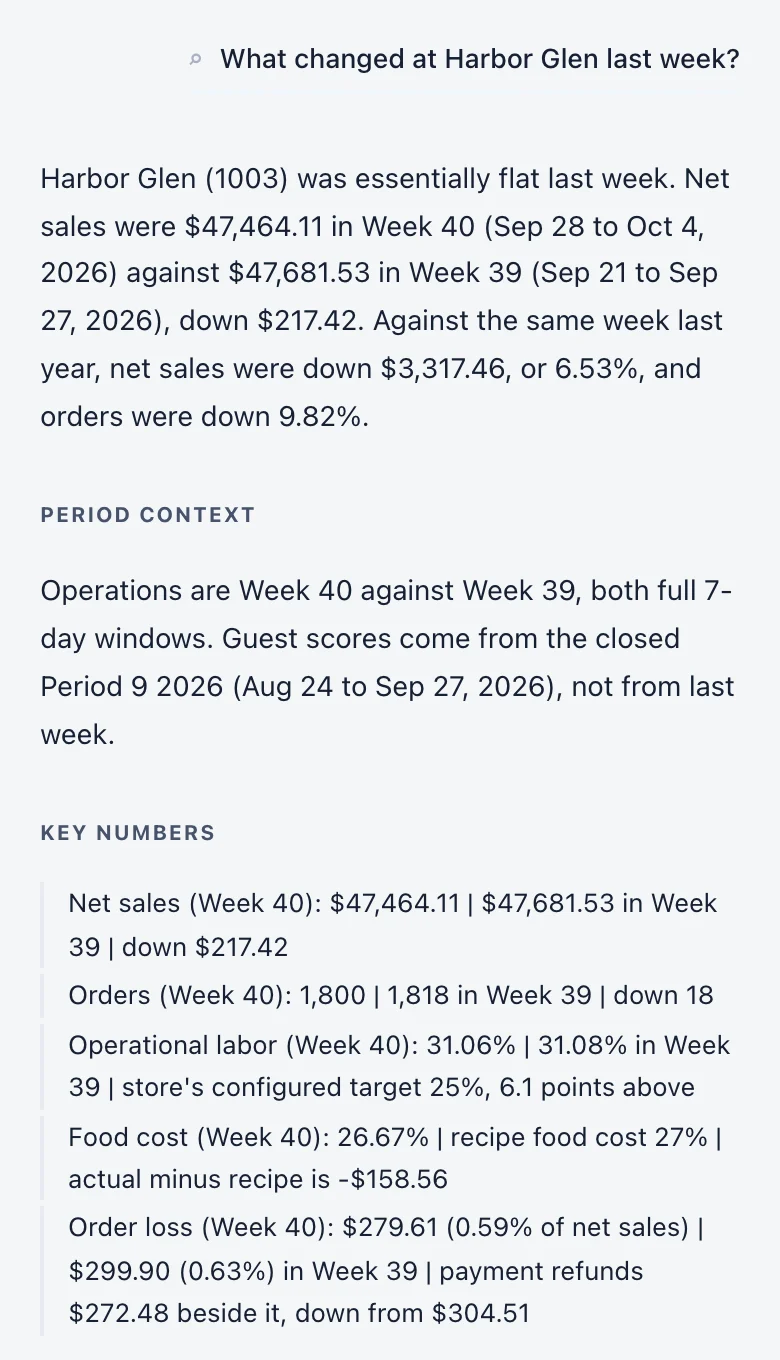
Fig. 3Actual OpsIntel screen · synthetic demo data Take the figures to the screen behind them.
The follow-up shows which figures moved and which did not. It does not say why. Where the answer ends with a suggested check, that is a place to look, on the screen for that store.
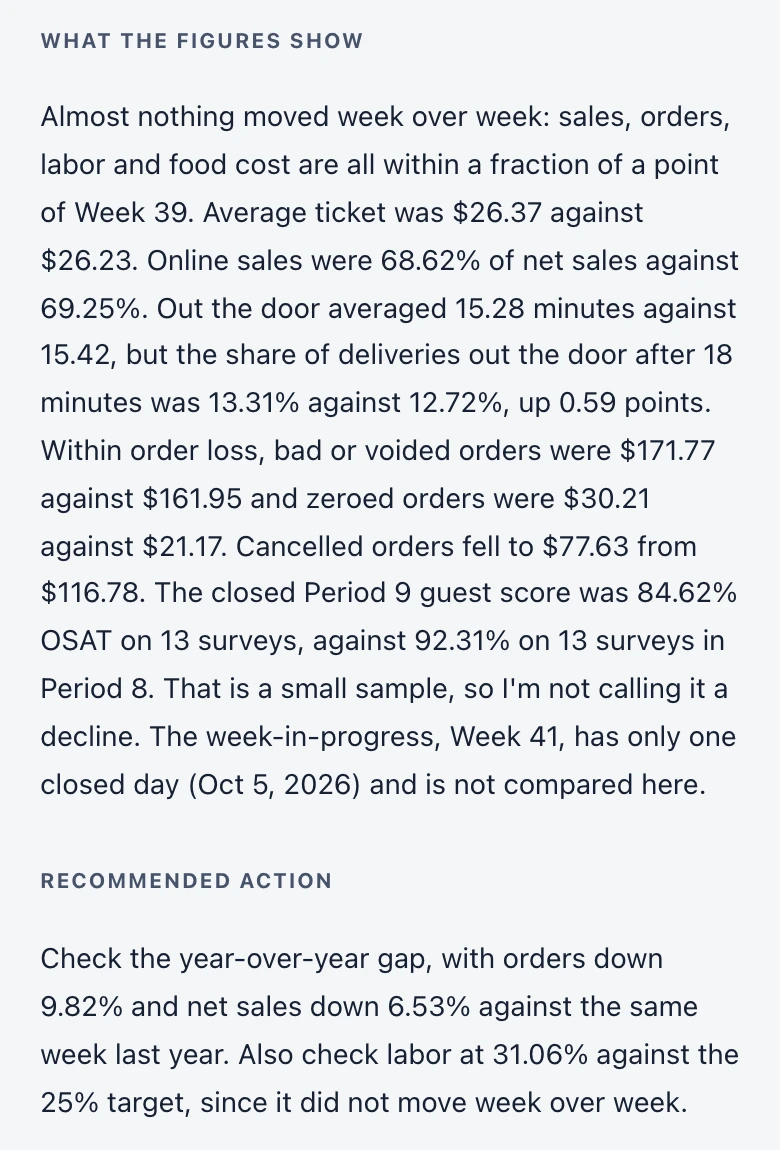
Fig. 4Actual OpsIntel screen · synthetic demo data
What it covers
Intel at a glance.
Ask one question instead of opening every store.
In Intel
- One question in plain language, across every store
- Sales, labor, food cost, discounts, order loss, out-the-door times and guest scores
- The dates every answer used
- Follow-up questions about one store
- Alerts without being asked when something goes wrong
Before a demo
Worth knowing first.
- Intel answers when you ask, and nothing appears until the whole answer is ready. The alerts our system sends do not wait for a question.
- It does not say why something happened. It shows which figures moved, and it says when the figures do not show a reason.
- Profit and the P&L are answered only where certified accounting results have been published for the period. Otherwise Intel says they are not available.
- It does not answer item-level or menu questions, and it does not read guest comments, meal-break records or who worked a shift.
- A follow-up question should name the store and the time it is about. Intel does not carry its earlier answers forward.
- Every answer says which time window it used. For a week in progress it says how many days have closed, and it says when a sample is small. Guest scores are for closed periods.
- Order loss is voided, cancelled and zeroed orders. Payment refunds are stated beside it and are not added to it.
- Our system watches your stores without being asked and alerts you to fraud patterns, time-clock manipulation, discount abuse and losses that repeat on the same shift. An alert names the pattern, the store and the shift.
- Answers come from your organization’s own store data.
- Answers are written by a third-party AI model from the figures Intel looks up. Your question and those figures are sent to that provider, and an answer can be wrong. Check a figure before you act on it.
- An answer can end with a suggested action. It is the model’s suggestion from the figures it was given, not advice, and it is yours to check.
- Intel is included in the paid Premium plan. It is not part of the free trial.
Related