

01
The alert
Each warning names the store and counts the orders affected, with a link to that store’s loss figures for the same dates.

How it works
Nothing is installed in the stores and nobody enters anything twice. OpsIntel brings your systems together, reads every store every day, and alerts you when something goes wrong.
One place
What OpsIntel brings together for each store, and what our system does with each part.
What comes in
OpsIntel
does the analysis
What you get
| Data | What comes in | What our system does with it |
|---|---|---|
| Sales and orders | Daily sales, order counts, discounts, voids and refunds, by store and order channel. | Money leakage, fraud patterns and discount abuse detected |
| Time clock and schedules | Scheduled and worked hours by store and day, clock-in and clock-out records, overtime, and each person’s regular pay and tips for the day. | Labor compliance, time-clock manipulation, labor waste and overtime |
| Inventory | The counts your stores already take, inventory orders and transfers, and what each item’s recipes say should have been used. | Food waste and yields by product, store and day |
| Guest surveys | Survey scores by store and question, shown with the number of responses behind each one. | Guest experience matched to shifts |
| Period P&L | Each store’s results for a fiscal period: sales, EBITDA, net income, royalty and fees. | Every store’s period side by side |
| Accounting | Your accounting software, Xero and QuickBooks, integrated read-only. | The complete numbers, every weighting included, and the correct operating targets |
| Delivery timing | How long each timed delivery took to leave the store, by store, day and part of the day. | Timely deliveries matched to shifts |
| Delivery marketplaces | DoorDash and Uber Eats statements. | Statement analysis beside what the register recorded |
| Order detail for voids and refunds | Date, store, order number, reason and amount for each order. | Voids, loss and fraud that keep happening on the same shift |
Every day
The agents are the programs that do the reading and checking an analyst would do. We do the analysis, and you run the business. This is what our system does each day.
Yesterday’s sales, labor, food cost, voids, cash and delivery times, for each store on your list, each day.
Each store’s sales are set beside last year, its labor and food cost are shown against target, and cash is labelled over or short.
Money leakage, fraud patterns, discount abuse, time-clock manipulation, and the voids and losses that keep happening on the same shift. A store with bad orders, zeroed orders or use of the manager discount code gets a line at the top of the Overview, and with Staff every long shift is checked for labor compliance from the time clock.
When something goes wrong, our system sends you an alert with the store and the numbers behind it. Each week it also sends a review of what changed, where cost built up and what to check first.
Food waste and yields product by product for each store each day, labor waste and overtime hours, a sales forecast for each store, and trends that show where the graphs are falling against the last few months.
Labor, food cost, order loss, service and guest scores roll into one health score for each store, with dollars beside labor, food cost and loss.
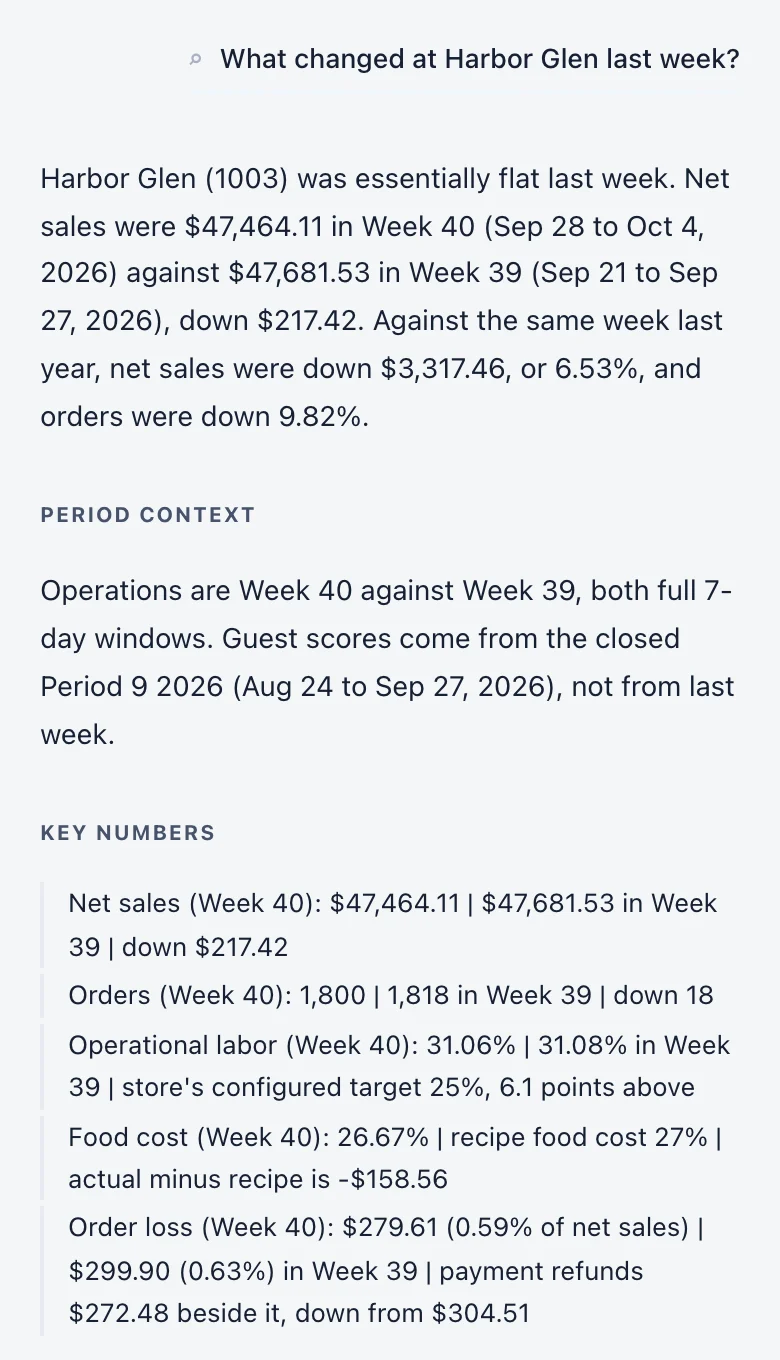
On the Premium plan you can type a question about one store or all of them, instead of opening each store in turn, and get the figures back with the dates they cover.
Alerts and reports
You do not have to go looking. Our system sends the alert, sends the weekly review, and answers when you ask.
01
Each warning names the store and counts the orders affected, with a link to that store’s loss figures for the same dates.
02
What changed, where cost built up and what to check first, with the days each figure covers.
Example · invented figures
Fiscal week 40, 2026 · Sep 28 to Oct 4 · all stores
Harbor Glen sold 8.1% under plan and still worked 51.8 hours over schedule
03
On the Premium plan, ask about one store or all of them and get the figures back with the dates they cover.
On every screen
Every figure carries what you need to check it: the count behind a rate, the dates behind a comparison, the points behind a score, and a dash where nothing arrived.
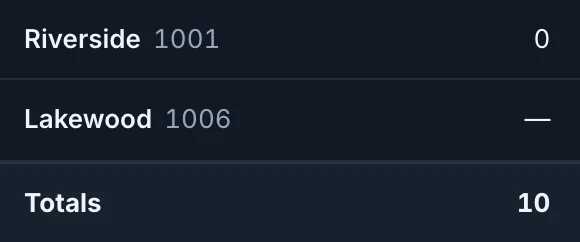
Riverside’s 0 is a count. Lakewood’s dash means no data.
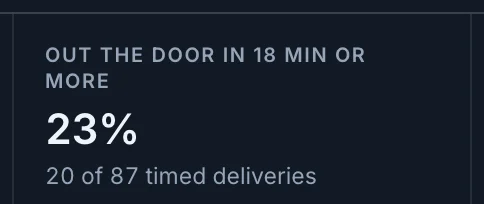
23% is 20 of 87 timed deliveries, printed under the rate.
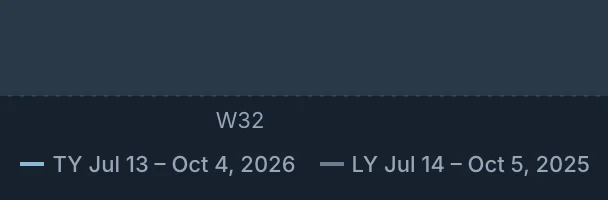
Jul 13 to Oct 4, 2026 against Jul 14 to Oct 5, 2025.
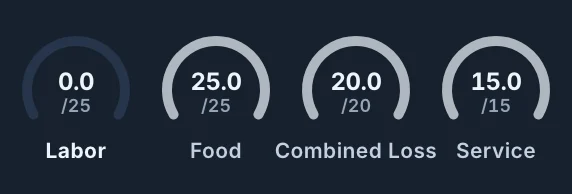
Labor earned 0.0 of 25. Each part prints its own points.
Setup
Nothing is installed in the stores. Four steps, and your stores are on one page.
A reporting login in your franchise system’s portal, the way you would add a bookkeeper, and read-only access to your accounting software. It is used only to read.
OpsIntel checks that it reads every store. Access is limited to your store list.
Every store on one page, with the alerts our system has raised.
By email. People you invite join as Admins. An Owner can make someone else an Owner afterwards.
Limits
A demo is thirty minutes. Bring the question your reports cannot answer.