Guest
Which stores and questions score lowest, and how many answers are behind them?
Guest shows survey scores for every store and every question, delivery beside carryout, and the days that drew a low rating. Our system matches guest experience to shifts, so a low rating leads to the day, the part of the day and the shift that was on. Every score carries the number of answers behind it.
How it works
How you work through it.
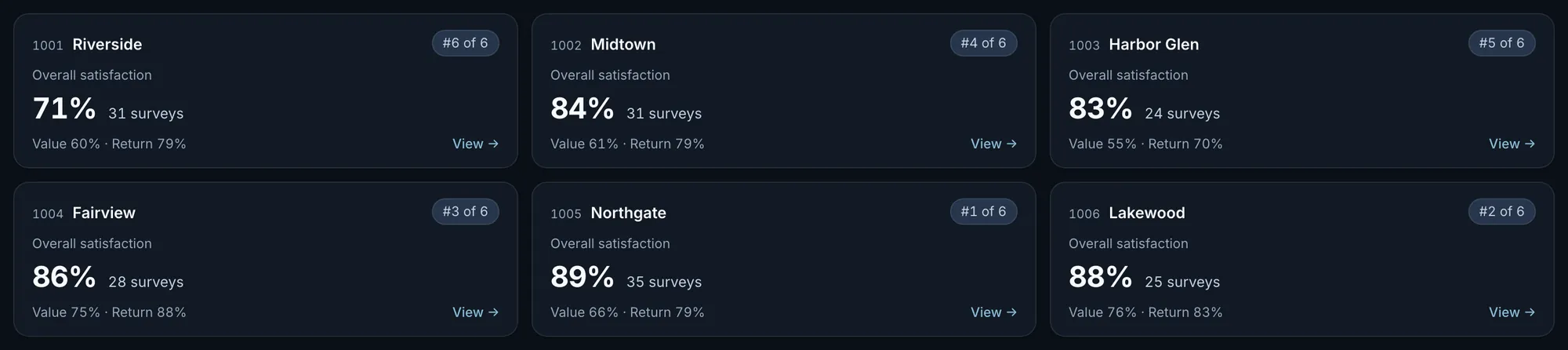
Each store’s score for the last 60 days.
Overall satisfaction, the surveys behind it, value and likely to return, and the store’s rank among stores with 15 or more surveys.
Fig. 1Riverside is last of six at 71%, from 31 surveys.Actual OpsIntel screen · synthetic demo data Open a store: its questions against the prior 60 days.
Each question with the answers behind its score. Four of the six also show the change from the 60 days before. Value and likely to return do not.
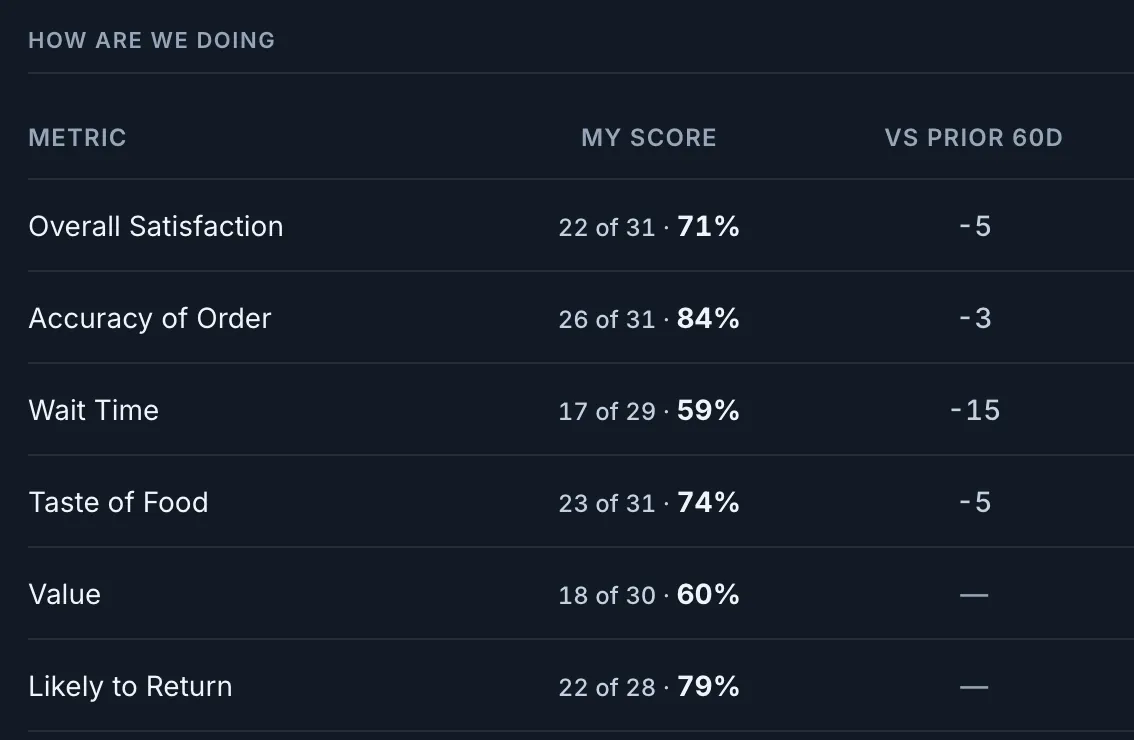
Fig. 2Riverside, last 60 days. Wait time is 59%, down 15 points.Actual OpsIntel screen · synthetic demo data Set delivery beside carryout.
Four questions, delivery beside carryout, with the answers behind each side. A difference is given only when both sides have 15 or more answers.
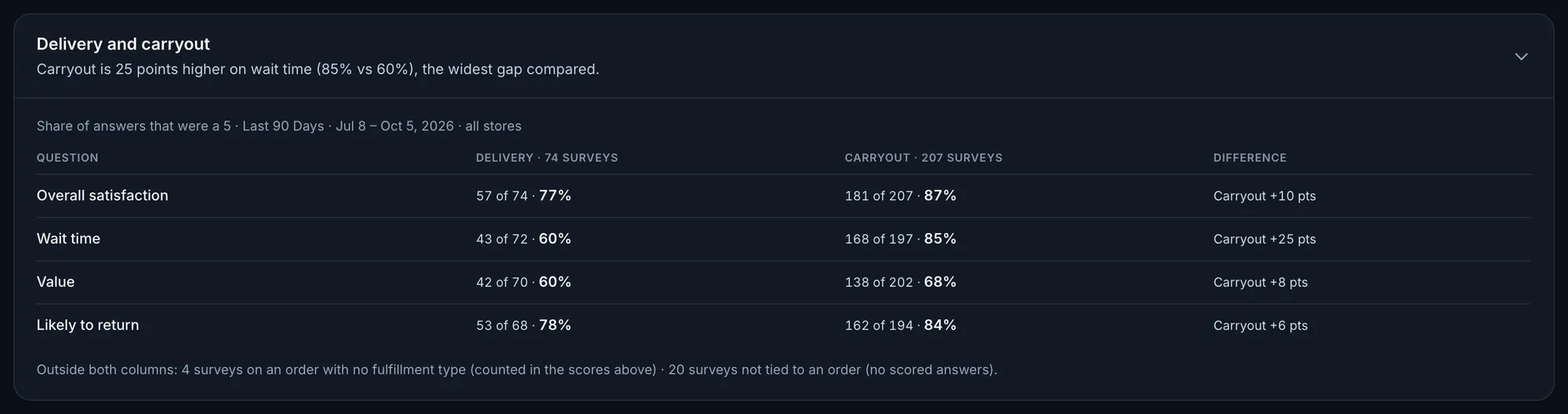
Fig. 3Actual OpsIntel screen · synthetic demo data Pick one period: small samples are marked.
A store with fewer than 15 surveys carries a Small sample mark and is left out of the ranking.
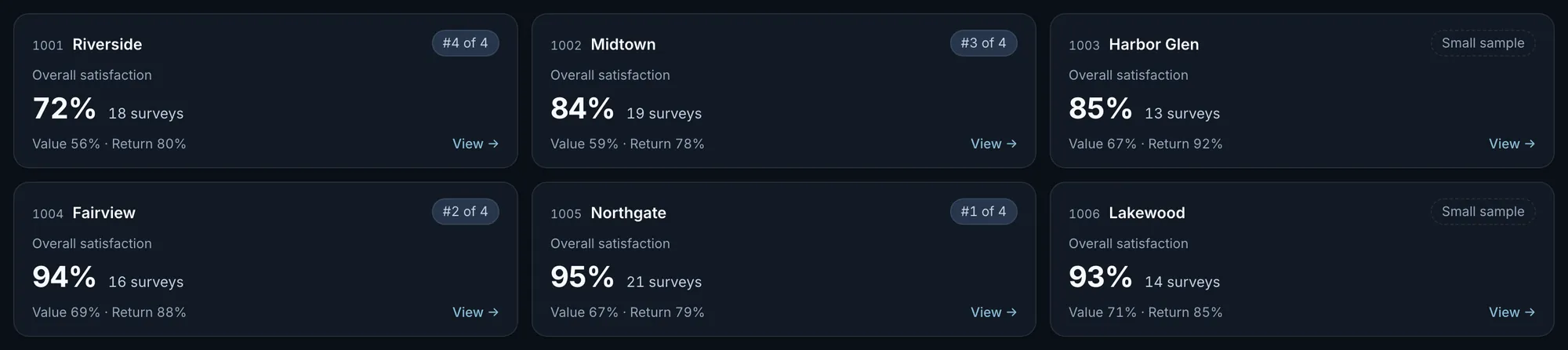
Fig. 4Actual OpsIntel screen · synthetic demo data List the days with a rating below 5.
Date, store, part of the day, delivery or carryout, order channel, and which questions scored low. The heading says how many surveys rated overall satisfaction below 5 out of how many, and each row says it is one survey of the store’s total.
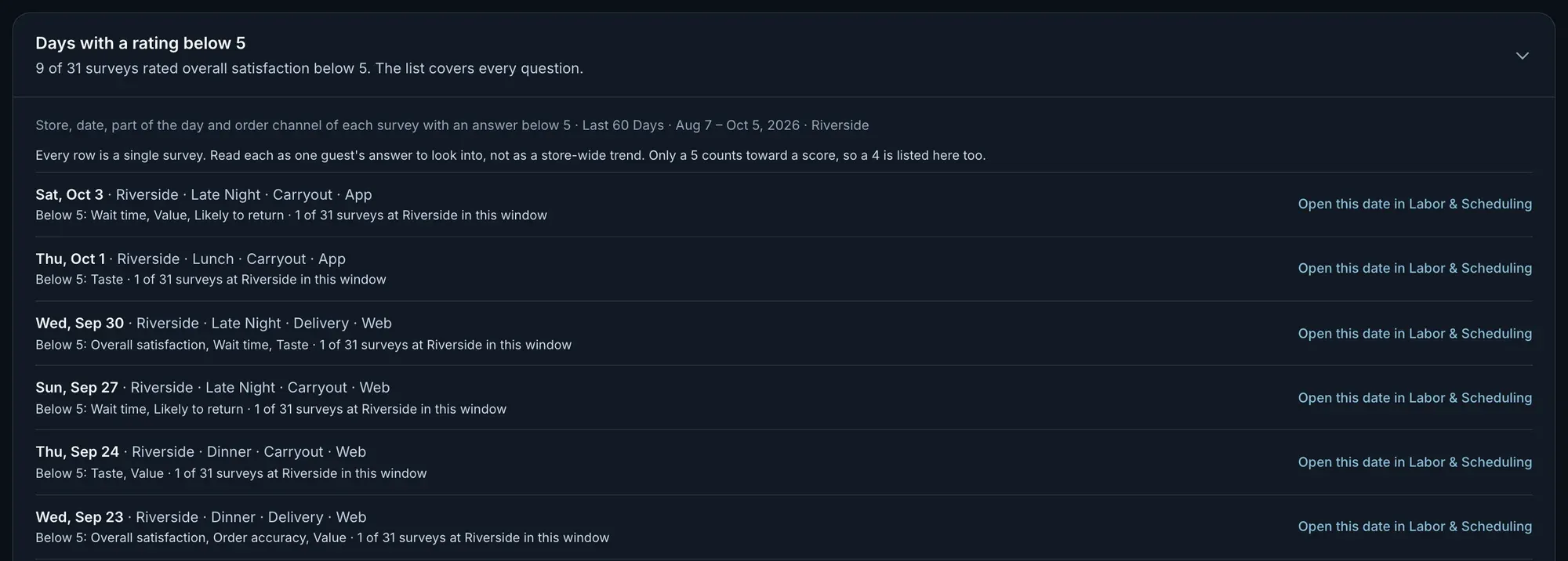
Fig. 5Riverside, last 60 days: 9 of 31 surveys rated overall satisfaction below 5. Each row is one survey.Actual OpsIntel screen · synthetic demo data Go from a low-rating day to how that day ran.
Each row opens the same store and date in Labor & Scheduling: hours scheduled and worked, and orders, timed deliveries and deliveries at 18 minutes or more by part of the day.
What it covers
Guest at a glance.
Guest experience matched to shifts: scores by store and question, and the days with a low rating.
In Guest
- Survey scores for every store and every question
- Delivery beside carryout
- The days that drew a low rating
- The number of answers behind every score
- Small samples marked and left out of the ranking
- A low rating matched to the day and the shift that was on
Before a demo
Worth knowing first.
- A score is the share of answers that were a 5, so a 4 counts as below 5. Read a single low rating as one guest to follow up, not as a trend.
- A low rating is matched to its day and the shift that was on, not to one employee.
- It reads scores, not comments. What guests wrote is not included.
- Score targets are the franchise system’s fixed targets. You cannot set your own.
- There is no trend chart. You compare the last 60 or 90 days with the 60 or 90 before.
- Guest is on every plan.
Related